








AI images for marketing: when they work and when real photos win
In short
- AI images for marketing work best for ideas, moods, backgrounds, illustrations and ad variations.
- Real photos win whenever the customer needs to see exactly what they get: a product, a dish, a room or a result.
- A strong hybrid is a real product photo placed in an AI generated scene, without altering the product.
- Add text in your design tool, because image generators often garble lettering.
- Before publishing, check details, usage rights, consent from real people and whether the image could mislead.
AI images for marketing work well when you need an idea, a mood or a background: a seasonal banner, a blog illustration, a concept mock up or several versions of an ad. They work badly when the customer needs to see exactly what they will get, such as the product itself, the dish, the room, a treatment result or the people behind the business. The simple rule: use AI for the idea, and a real photo for the promise.
How do customers see an AI image compared to a real photo?
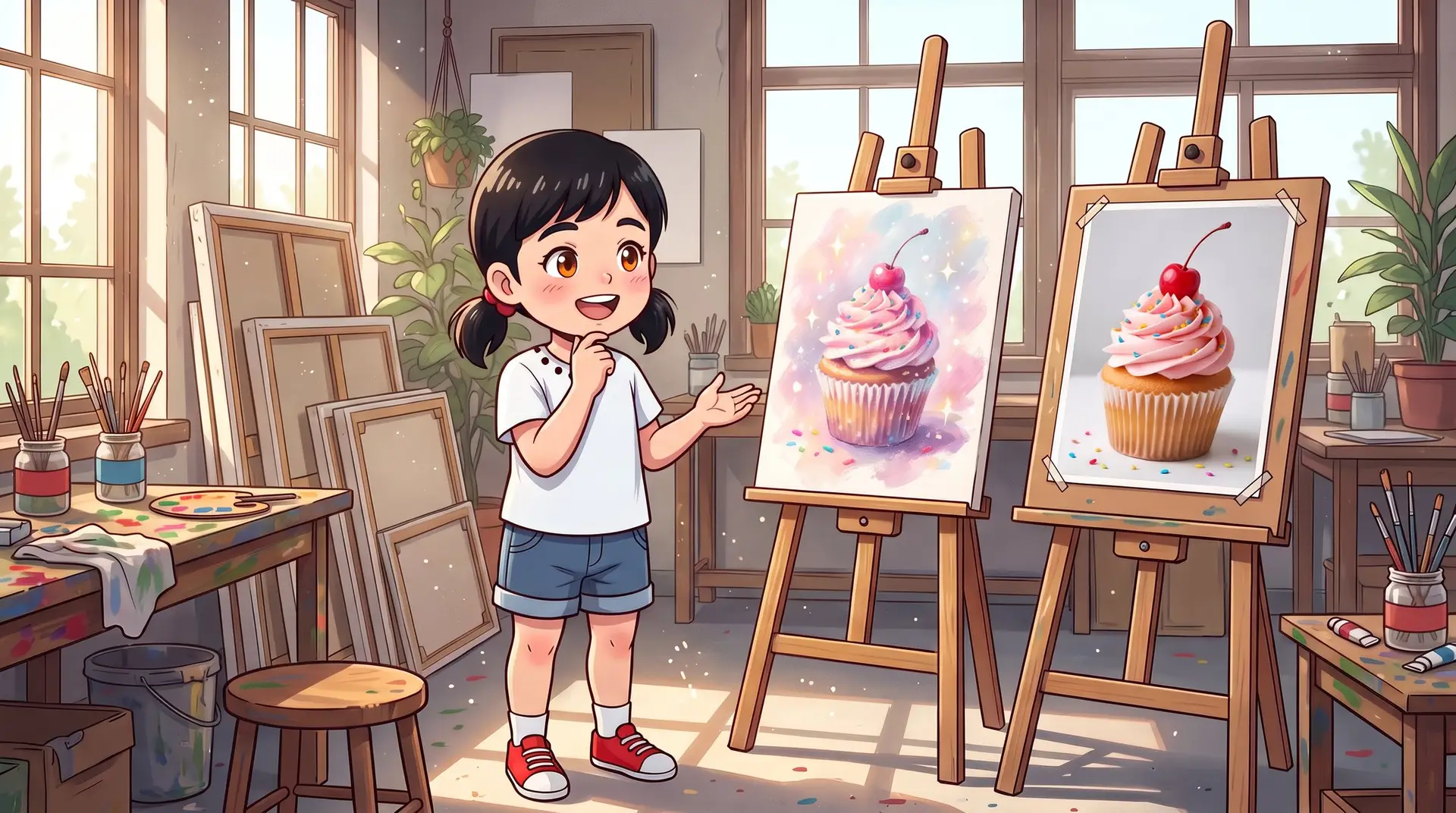
Customers read a photo as a promise and an illustration as an idea. When they see a photo of a cake on a bakery’s product page, they assume that is the cake they will get. When they see a playful illustrated cake in a holiday post, they understand it is setting a mood.
Trouble starts when an AI image looks like a photo but shows something that does not exist: a dish that is too perfect, a hotel room larger than reality, flawless skin after a treatment. Customers rarely mind the AI itself. They mind when reality does not match what they saw, and that shows up in reviews, returns and lost trust.
When do AI images for marketing work well?
When the image serves an idea rather than documenting reality. These are the cases where AI saves the most time:
- Backgrounds and atmosphere. A winter setting for a new collection, a festive table for a social post, warm evening light for a website banner.
- Content illustrations. A header image for an article, a picture that explains a process, icons in one consistent style.
- Ad variations. Instead of one image, several creative directions you can test with your audience. We cover the method in AI ad creative testing.
- Concepts before a shoot. Show a photographer exactly the look you want before you book them.
- Abstract services. Consulting, insurance or software are hard to photograph. A good illustration explains them better than yet another stock photo of people shaking hands.
When do real photos win?
Whenever the image is part of the customer’s decision to buy. A real photo is almost always the better choice for:
- Products. Colour, texture, size and small details. Online shoppers cannot touch the item, so the photo is all they have. Our guide to product pages that sell goes deeper.
- Food. Diners want to see the dish that will arrive at the table, not an idealised version of it.
- Results. Before and after images from a clinic, a salon or a renovation must be real, and shared only with the customer’s consent.
- Places. A flat to let, a hotel room, an event venue. If you use virtual staging, say so clearly.
- People. The owner, the team, real customers. Real faces build a kind of trust that generated faces cannot.
How do you combine AI images with real photography?
For most businesses the right answer is not AI or photos, but both. Photograph the real thing, and let AI help with everything around it.
A bakery before the holidays
The bakery photographs its cupcakes on a plain background with a phone in good light. With an AI tool, it places that same photo on a festive table and produces versions for the feed, for Stories and for the website banner. The cupcake itself stays exactly as it is. Only the scene changes.
A dental clinic
Results photos are real, taken in the same light and from the same angle, and published only with the patient’s permission. AI is used for friendly illustrations that explain procedures and for a consistent template for social posts.
An IT services company
There is little to photograph besides laptops. Instead of generic stock images, the company creates a series of illustrations in one style and in its brand colours, so every article and post looks recognisably its own.
A fashion shop online
The clothes are photographed for real, on a model or a hanger, because shoppers need to see how the fabric falls. AI handles the seasonal banner on the home page and the backgrounds for social posts, but never the images on the product page.
How do you create AI marketing images that look professional?
A good image starts with a good brief, not with the generate button. This process works:
- Give the image a job. Where will it appear, at what size, and what should the viewer feel or do?
- Write a detailed brief. Subject, style (photo, illustration, 3D), brand colours, lighting, aspect ratio and anything that must not appear.
- Generate several versions. Change one word at a time so you learn what actually affects the result.
- Pick and refine. Fix small details in an editor instead of regenerating everything.
- Add text in your design tool. Image generators often garble letters, especially in languages other than English.
- Check with human eyes. Fingers, lettering, odd logos, shadows that make no sense.
- Save the recipe. Keep a brief that worked as a template, so future images look like one family.
What are the risks of AI images in marketing?
The biggest risk is not technical. It is trust.
Misleading customers
An image that shows a product, result or place differently from reality is misleading, even if that was never your intention. This matters most in ads and on product pages, where the image is part of the offer.
The generic AI look
Many AI images share the same look: perfect light, saturated colours, people who are a little too beautiful. Audiences increasingly recognise it, and a generic image feels like an ad. A consistent brand style helps you stand out.
Rights and real people
Do not generate images of real public figures, other companies’ logos or imitations of a specific living artist. Check that the tool’s terms allow commercial use. If you use a staff member’s or customer’s face as a starting point, get their consent first.
Transparency
If a realistic image was generated, it is sometimes worth saying so. Our article on trust and transparency when your marketing uses AI explains when it matters and how to phrase it without putting customers off.
A checklist before you publish
- A customer would not be surprised by the real product or place
- No garbled letters, extra fingers or strange details
- Text was added in a design tool and reads well on a phone
- The image matches your brand style and colours
- You are allowed to use the output commercially
- You have consent from every real person shown or used as a reference
- It is clear to the viewer whether this is an illustration, a mock up or a photo
The bottom line
AI images for marketing are an excellent tool for ideas, moods and variations, and they save a small business a lot of time without a full time designer. But when an image is a promise to the customer, a real photo still wins. At Kaede Digital we help businesses build content workflows that combine AI for business with real material, so the brand looks consistent and customers get exactly what they saw. If motion is your next step, continue with our guide to AI video for business.
FAQ
Can I use AI images on my website and in ads?
In most cases yes, as long as the tool’s terms allow commercial use and the image does not mislead. Avoid real people’s faces without consent, other brands’ logos and any image that shows a product different from what customers will receive. For ads, also check the platform’s advertising policies.
Does Google or Meta penalise AI images?
Google has said it evaluates content on its quality and helpfulness, not on how it was produced. Meta may show a label on realistic images it identifies as AI generated. What actually hurts you is generic or misleading content, not the tool itself.
Can I create an image of my product without photographing it?
You can try, but it is risky. AI tools tend to change small details such as colour, shape, packaging text or logos, so customers may receive something different from what they saw. Photograph the real product, even on a phone, and use AI for the background and the scene.
How do I keep all my images consistent?
Write a fixed brief with style, colours, lighting and angle, and reuse it every time. Some tools let you upload reference images or save a style. Choose one look and stick to it, even when you are tempted to try something new.
AI for business
Want us to build this for you?
More from the journal
 AI for business
10 AI marketing mistakes small businesses make
AI can save a small business a lot of marketing time. Used without a method, it also produces bland content, embarrassing errors and customers who feel nobody is listening.
 AI for business
AI call summaries: using every word your customer said
In one call, a customer tells you what they need, what worries them and when they want to start. AI call summaries make sure none of it is lost once you hang up.
 AI for business
An AI knowledge assistant for your team: answers in seconds
How often does someone on your team ask a question whose answer is already written down somewhere? An AI knowledge assistant finds it in seconds, with a link to the source.
